The product
One system for the whole operation.
Blossom shows each person what needs deciding, checks the work before it goes wrong, and writes the record as the work gets done. Here is every part of it, on the real screens.
00How it works
Decide, check, record. In that order.
Most farm software starts with the record. Blossom starts with the decision in front of you and leaves the record behind as the work gets done.
- Decide
What needs you
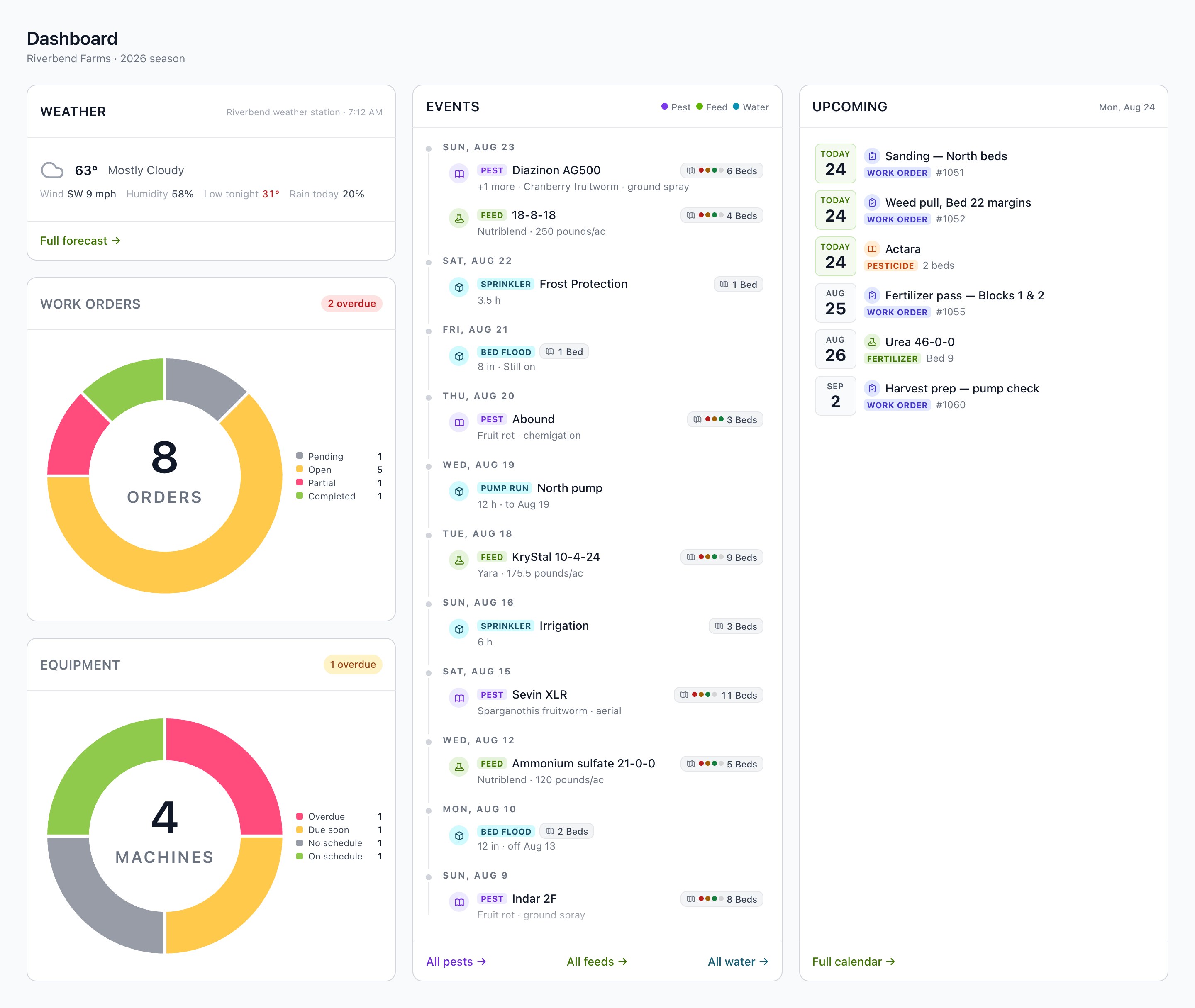
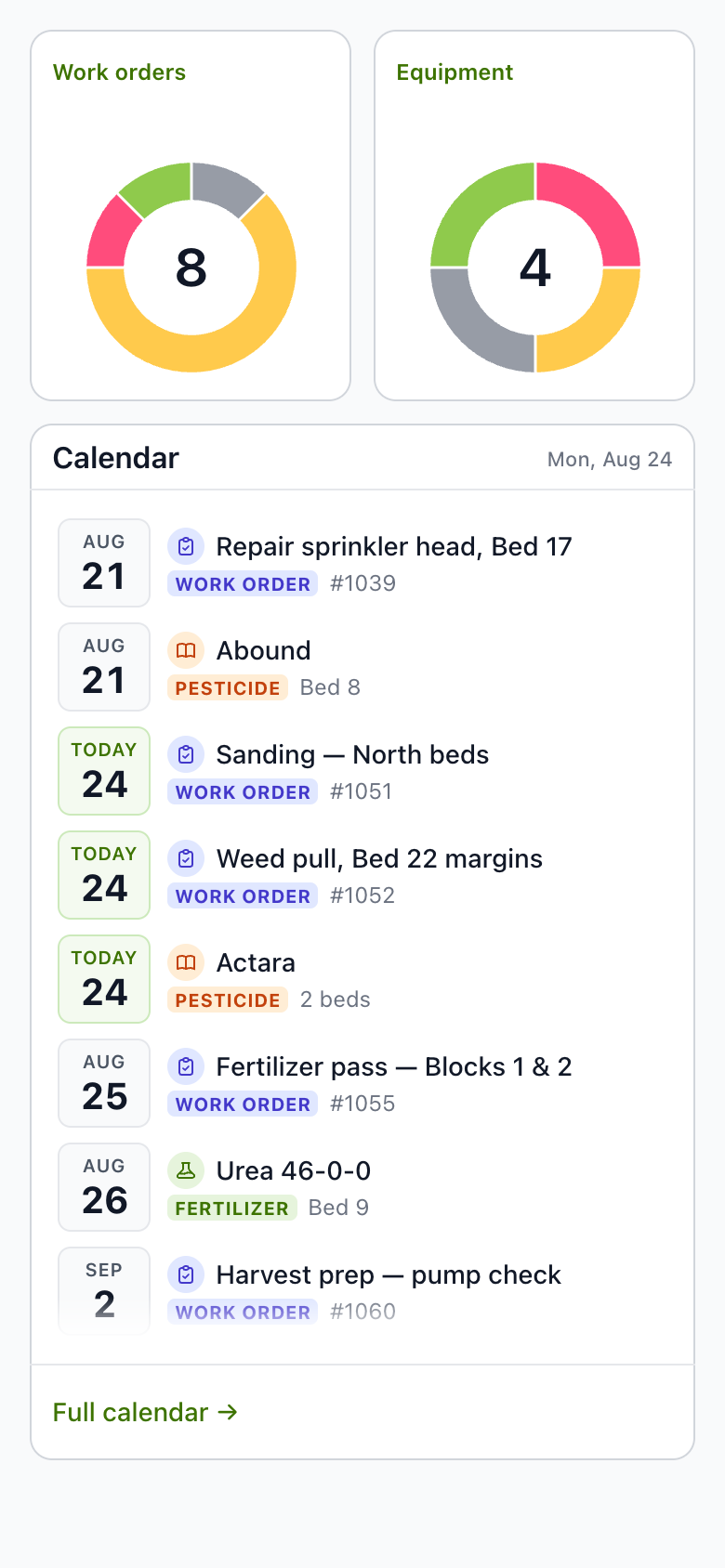
Today gathers late work, REI conflicts, missing completion records, orders awaiting approval, work nobody is on and service overdue. Each one goes to the person who can act.
- Check
Before it goes wrong
Label limits, re-entry and pre-harvest intervals and your farm's own chemical rules are checked while the work is still a plan.
- Record
As the work gets done
Completions save as dated records on the bed, the machine and the calendar. The reports are built from them.
01Beds and blocks
Every unit keeps its own history.
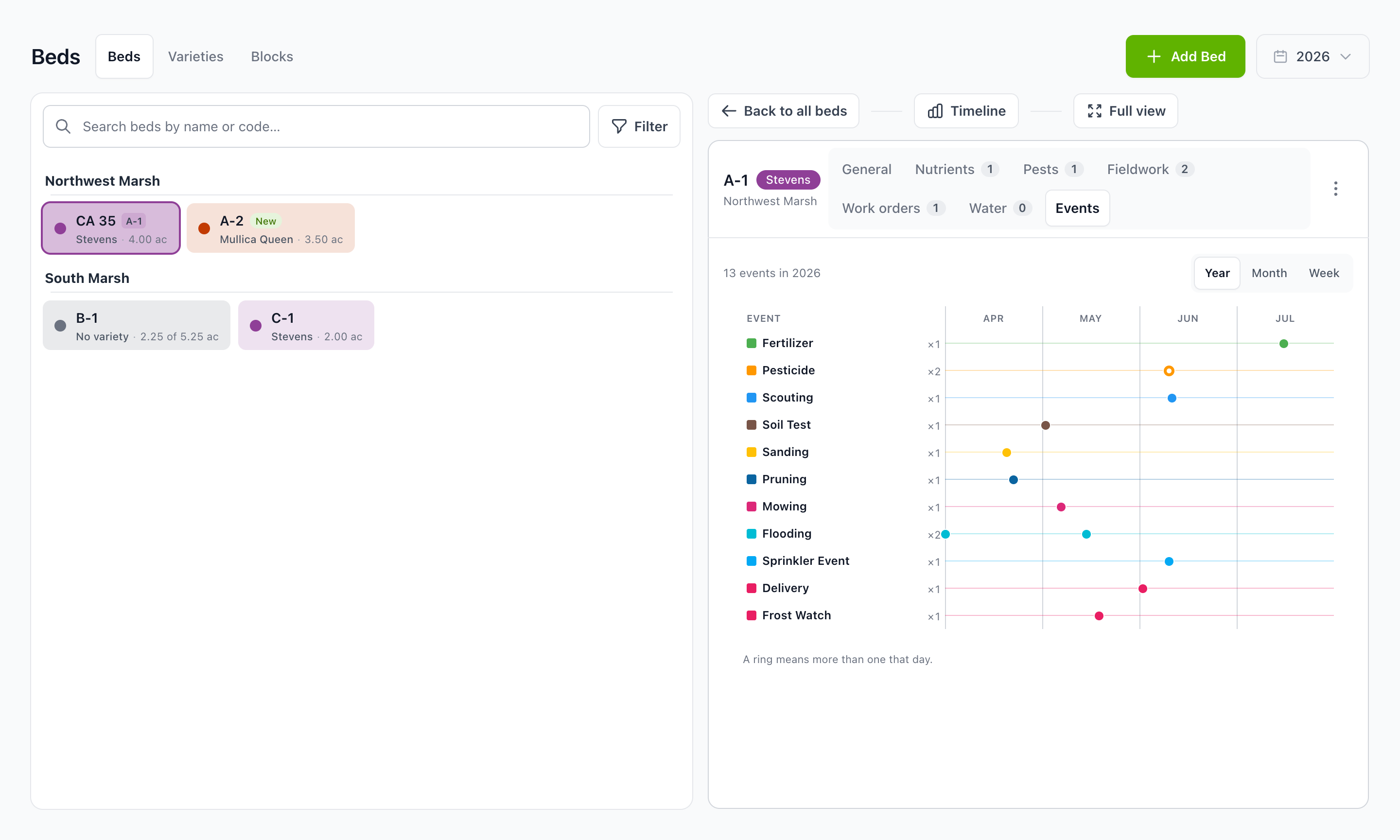
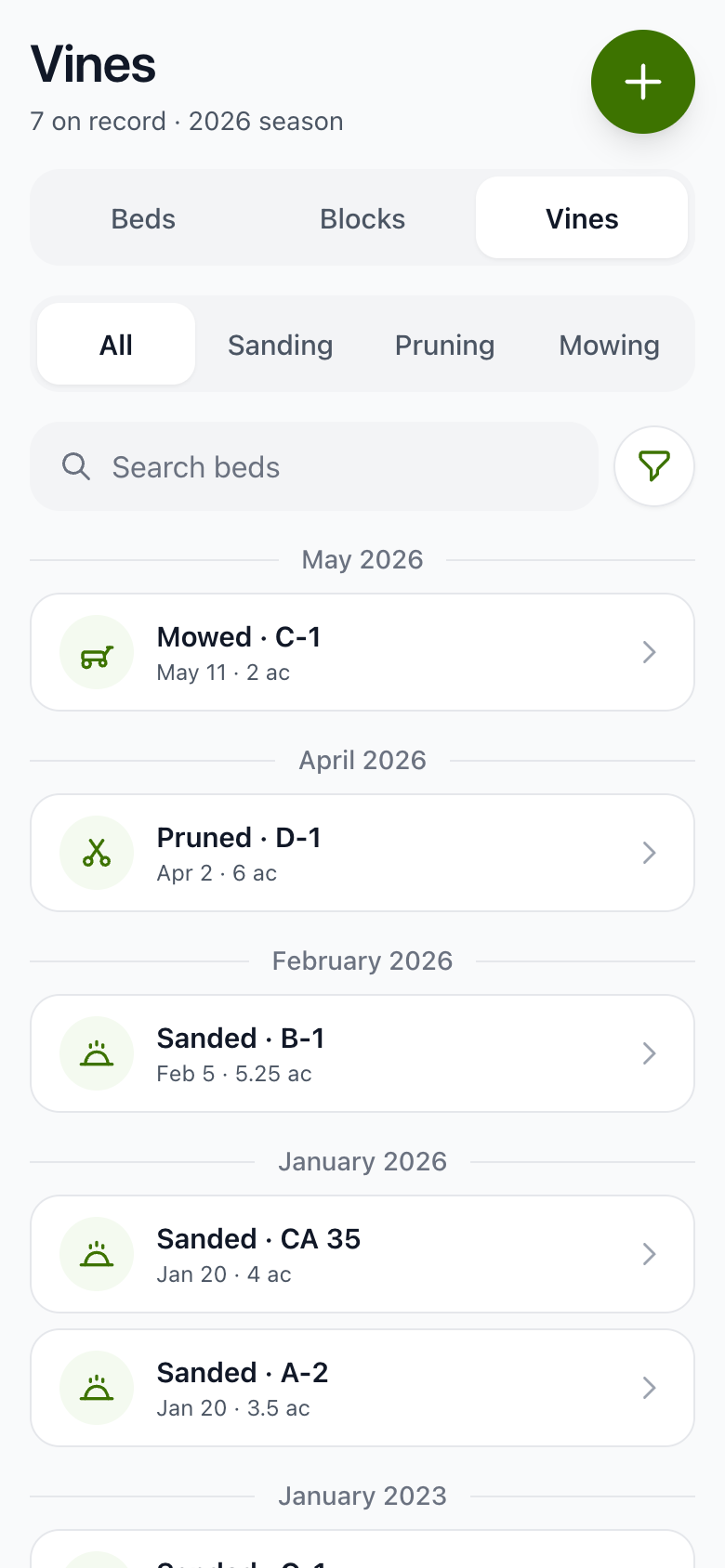
Draw each block on a satellite map and Blossom measures the acres. Split one or redraw one when the ground changes. Call them blocks, beds, rows, or the names only your farm uses.
- Timeline. Applications, water, tests, canopy work and deliveries land on the unit they happened on.
- Canopy. Sanding, pruning and mowing each show when a block was last done.
- Parcels. Import parcels and varieties, then keep them current as the farm changes.
02Work orders
The work is checked before it rolls.
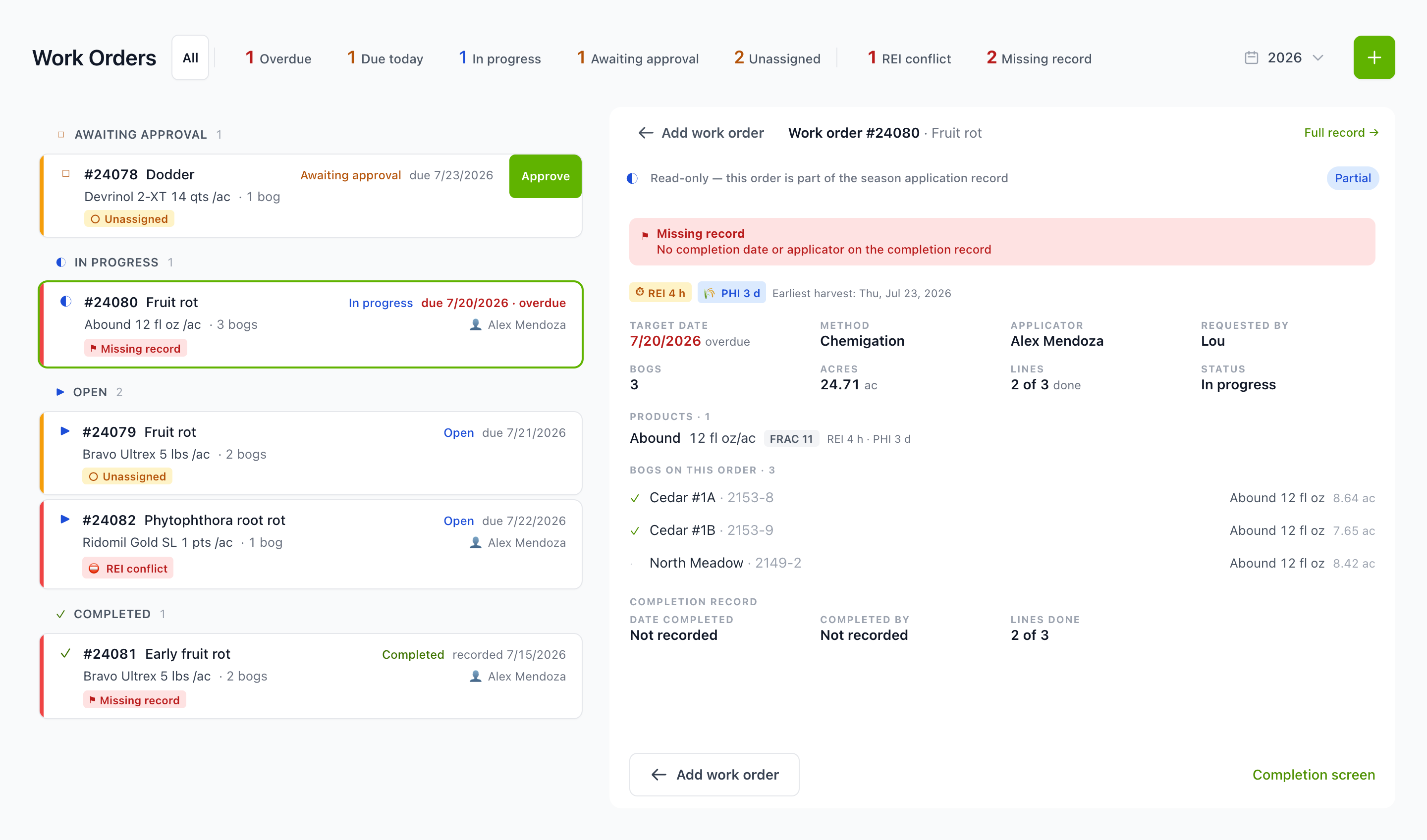
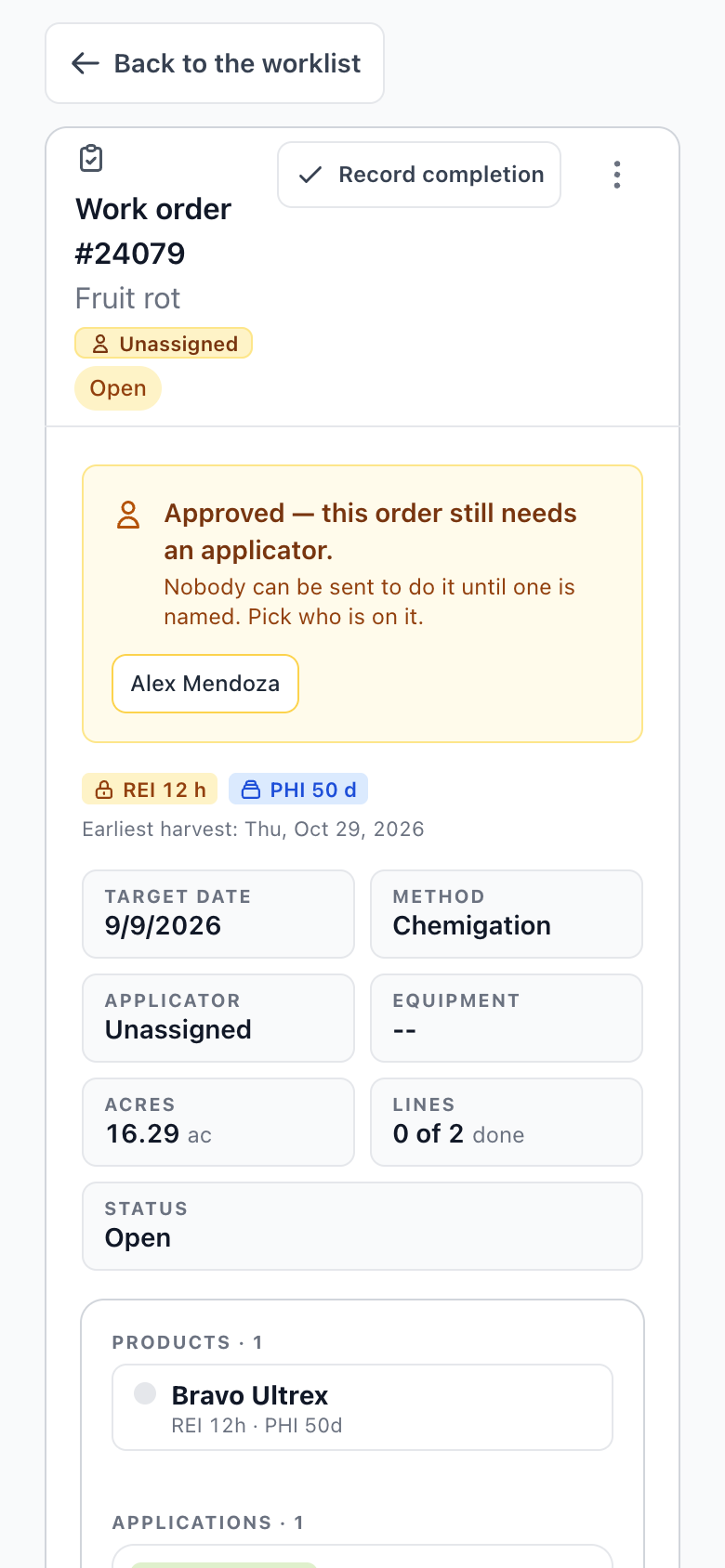
Request, approve, assign and schedule work orders, with several planned applications in one save. Each order reaches the person who can act on it, at the desk or on the phone in their pocket.
- Sorted by need. Awaiting approval, unassigned, overdue, missing a record: the list orders itself by what it needs from you.
- Holds worked out. Tank mix restrictions travel with the order, and the longest REI governs a co-application.
- Posting. Print the pesticide posting and the work sheet straight from the order.
03Pesticides and nutrients
The label is checked for you.
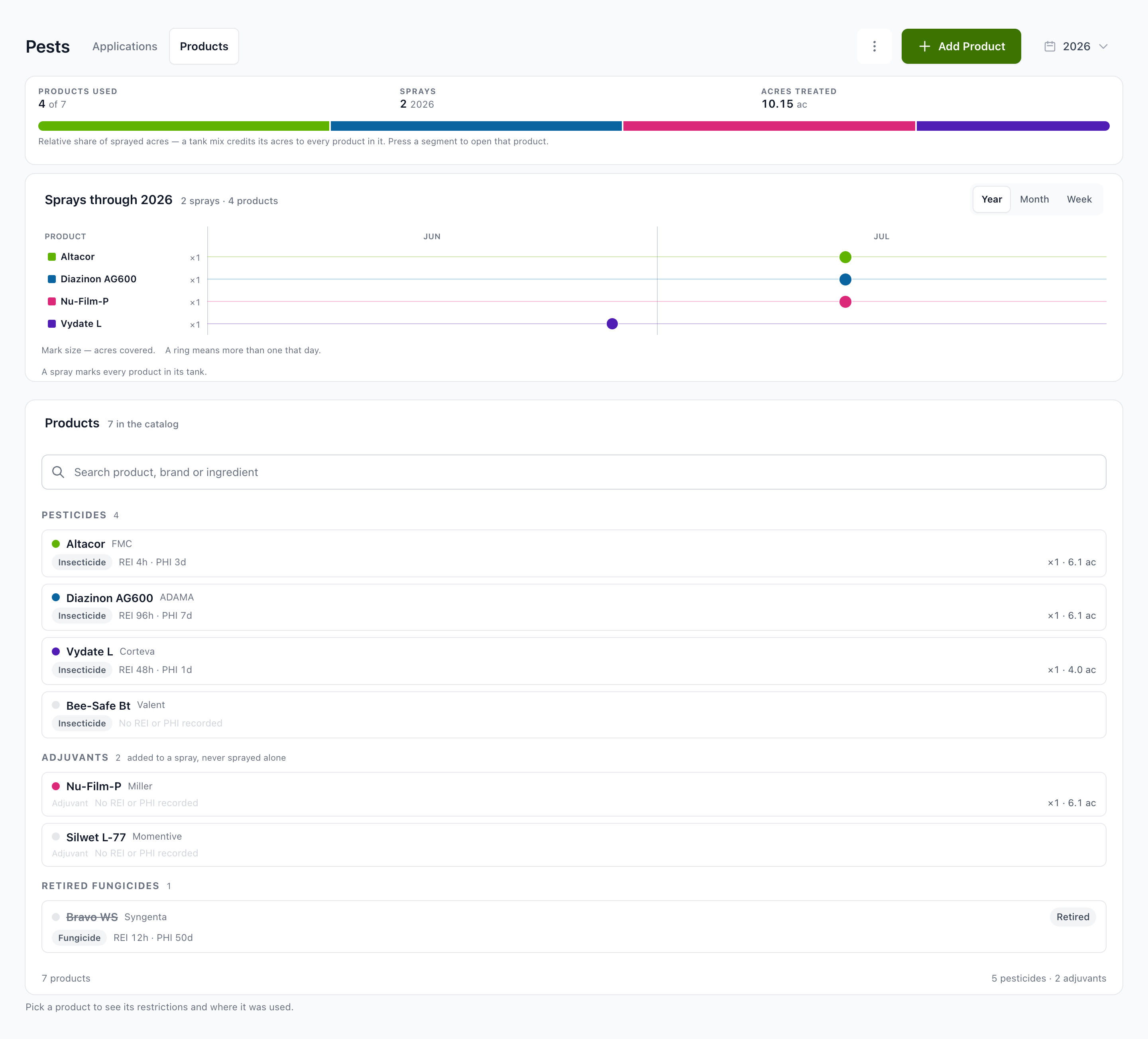
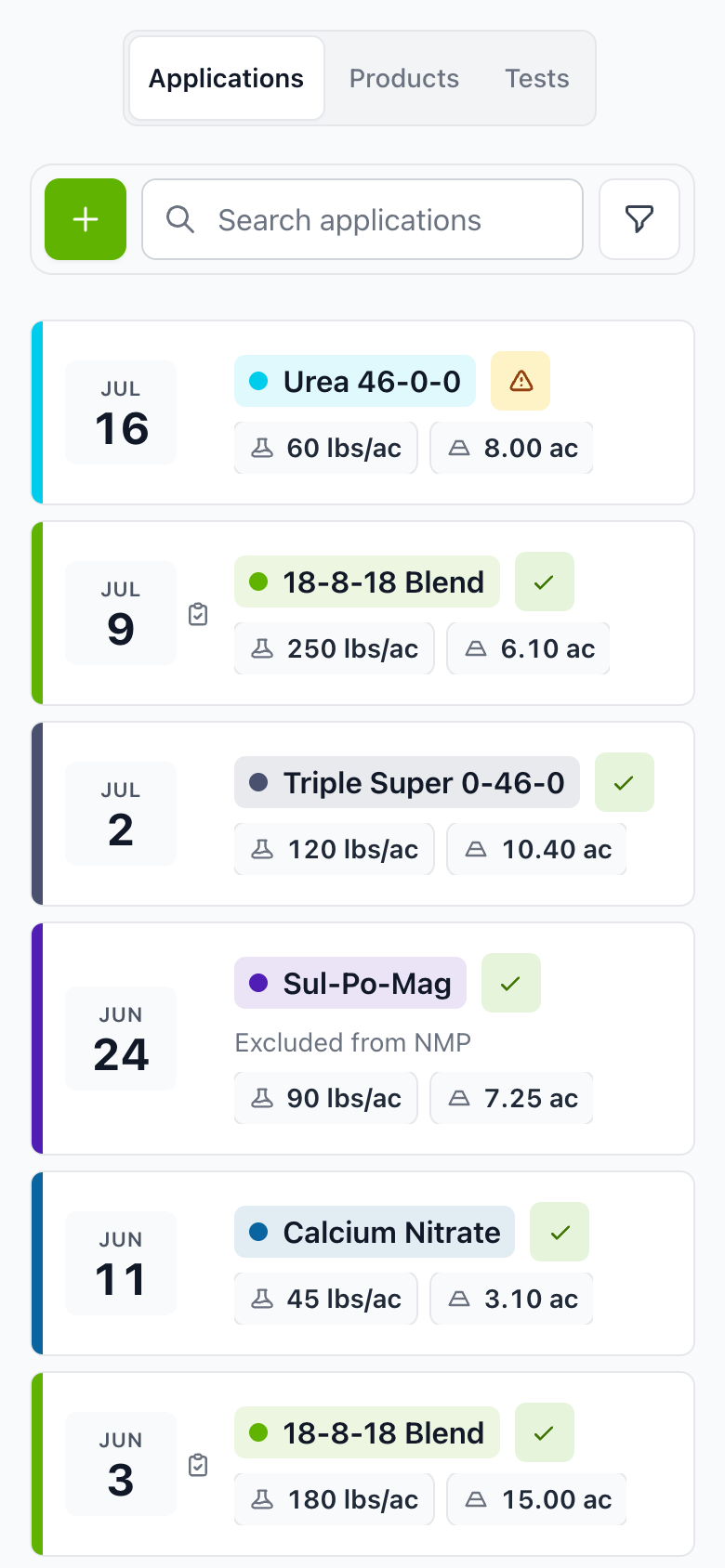
Record the product, rate, method and applicator once. Blossom keeps the season totals and checks each application against the limits that apply to it.
- Label limits. Maximum applications and amount per year, days between applications and Zone II restrictions are checked as the work is planned.
- REI and PHI. Re-entry and pre-harvest intervals are worked out for the whole tank mix, with the earliest harvest date shown.
- One ledger. Pesticide, nutrient and work order applications in a single list by date, with status.
04Soil and tissue
Results you can act on.
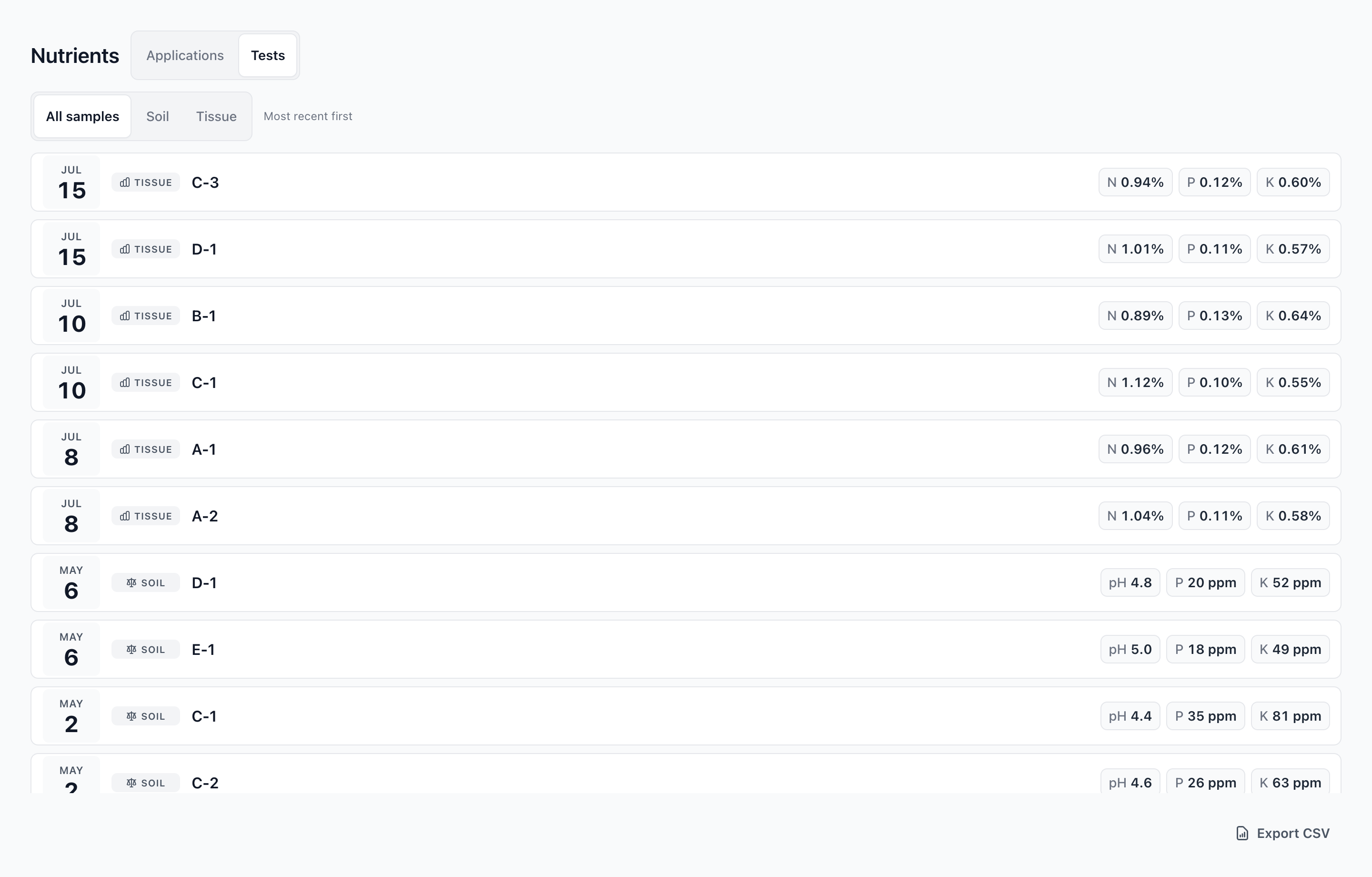
Soil and tissue samples sit on the bed they came from. Results are flagged against published bands, with the source shown, next to the nutrient record for the same ground.
- By bed. N, P, K and pH readings for every sample, season over season.
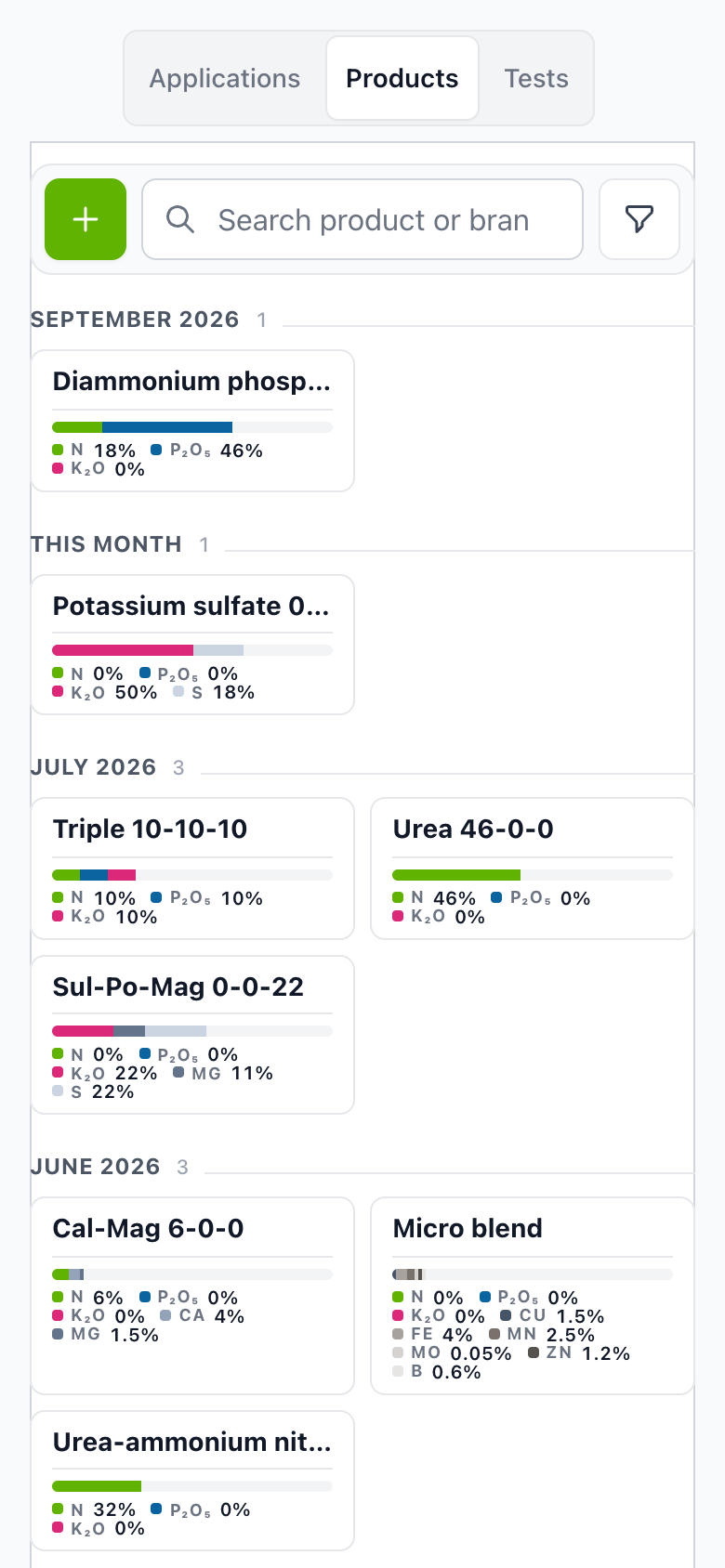
- Nutrient analysis. Each fertilizer shows its analysis, and applications show their N-P-K.
- Plan checks. NRCS 590 nutrient plan checks are there as advice.
05Water and weather
Know where the water went.
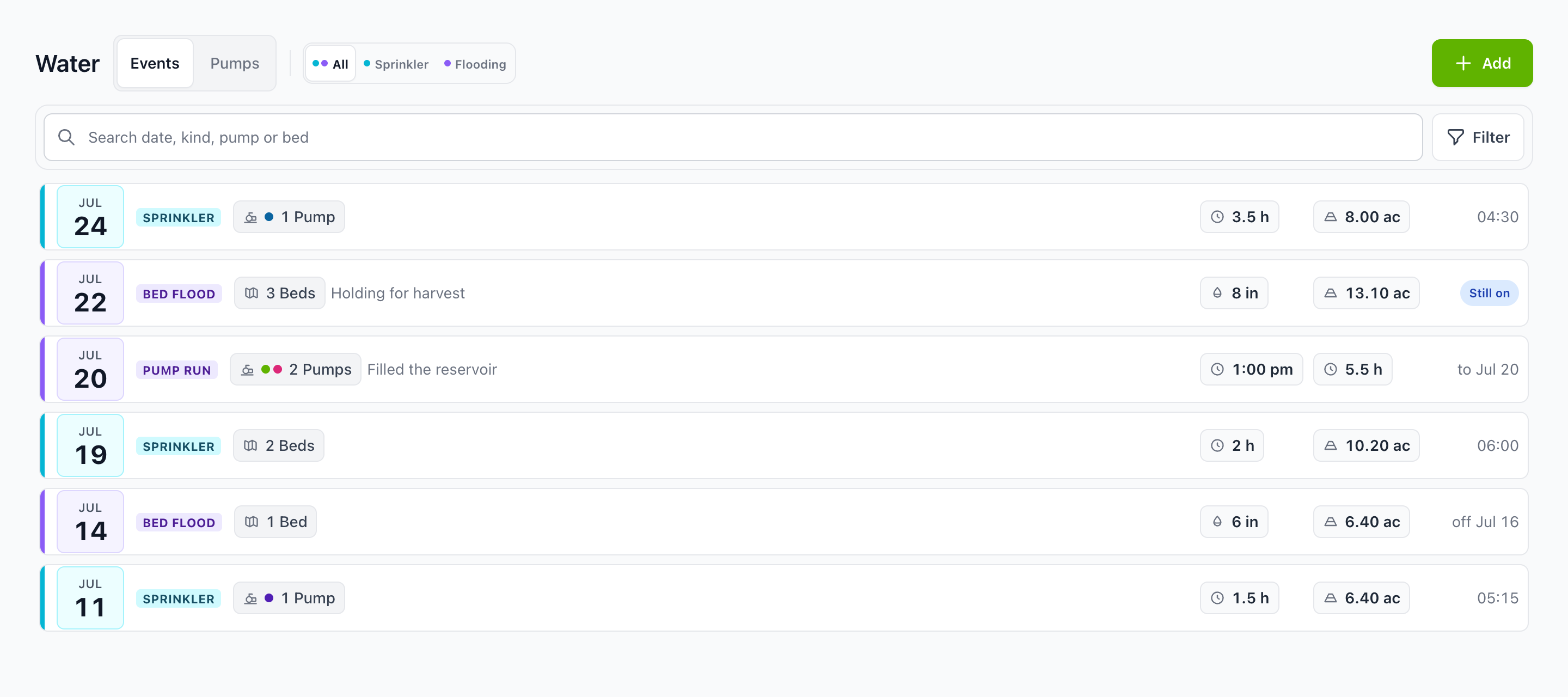
Sprinkler and flood pumps, each with its beds, acres and rates. Irrigation, frost protection and flooding are logged as water events, with rainfall by block and for the whole organization.
- Water events. Every sprinkler run, bed flood and pump run keeps its hours, inches and acres.
- Forecast. The farm forecast, the nearest frost station and growing degree days sit one tap from the pumps.
- On the map. Radar and measured rain on the farm map, next to your own blocks.
06Equipment
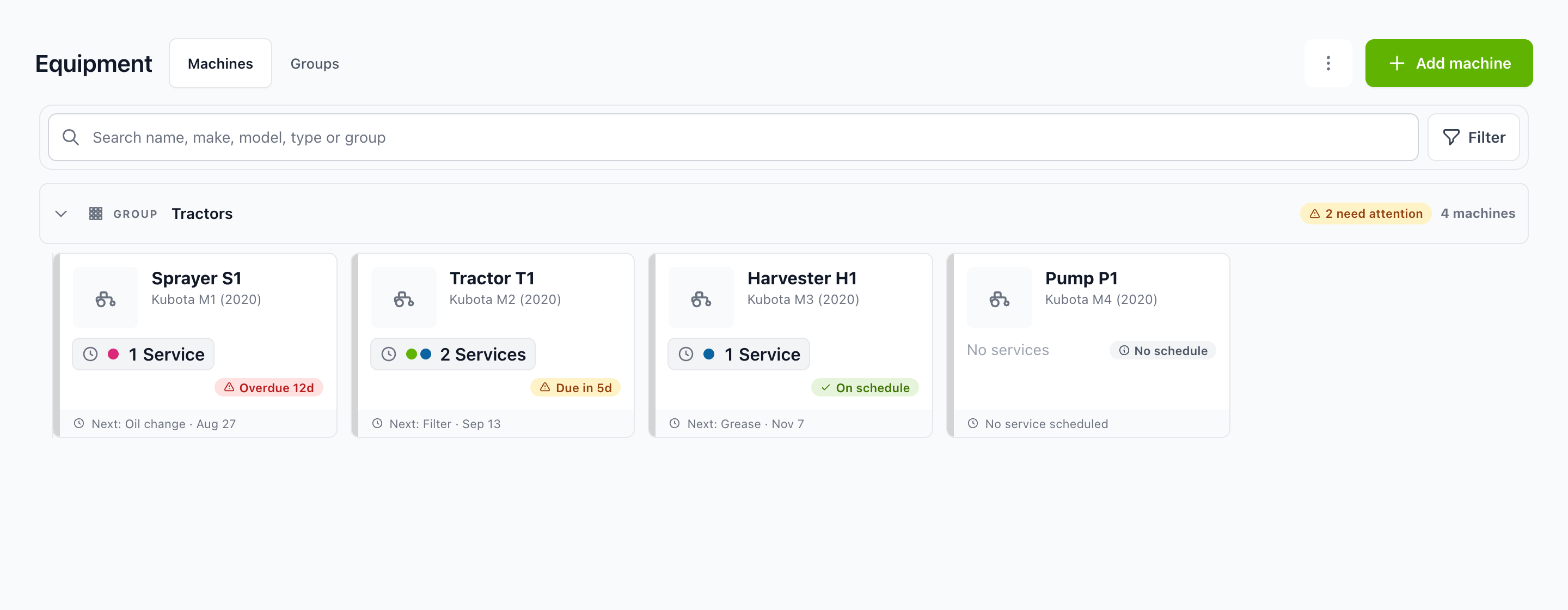
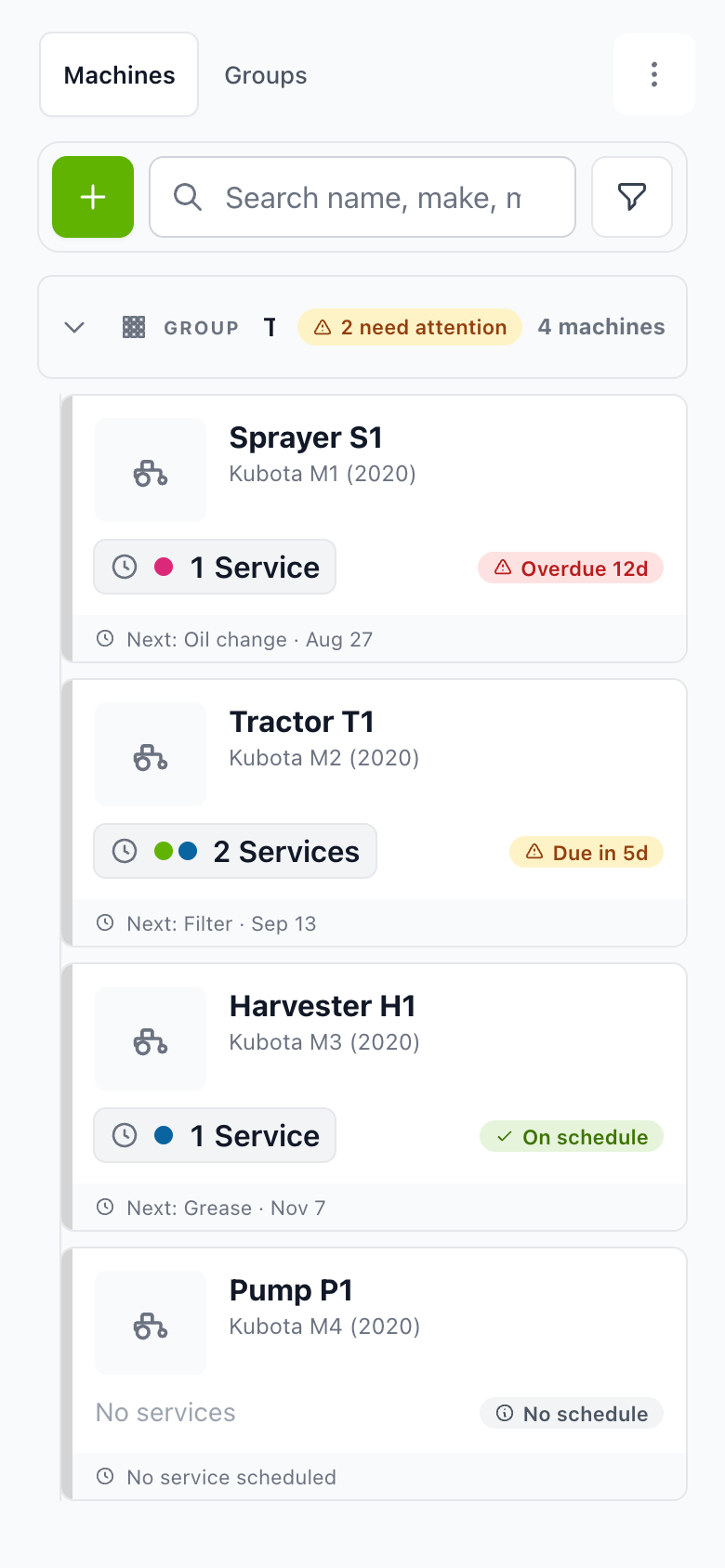
The fleet, at a glance.
Every machine has a record, a service schedule and a weatherproof QR label. Scan the label and the machine opens. Machines can belong to one farm or be shared by the organization.
- Service status. Overdue, due soon, on schedule, no schedule. You see which machine needs the shop first.
- Schedules. Intervals by hours or months, with lead time and grace. One maintenance order can cover several machines.
- Register. Services, parts used, cost and hours build the fleet register as the work is logged.
07Harvest
Every load, counted once.
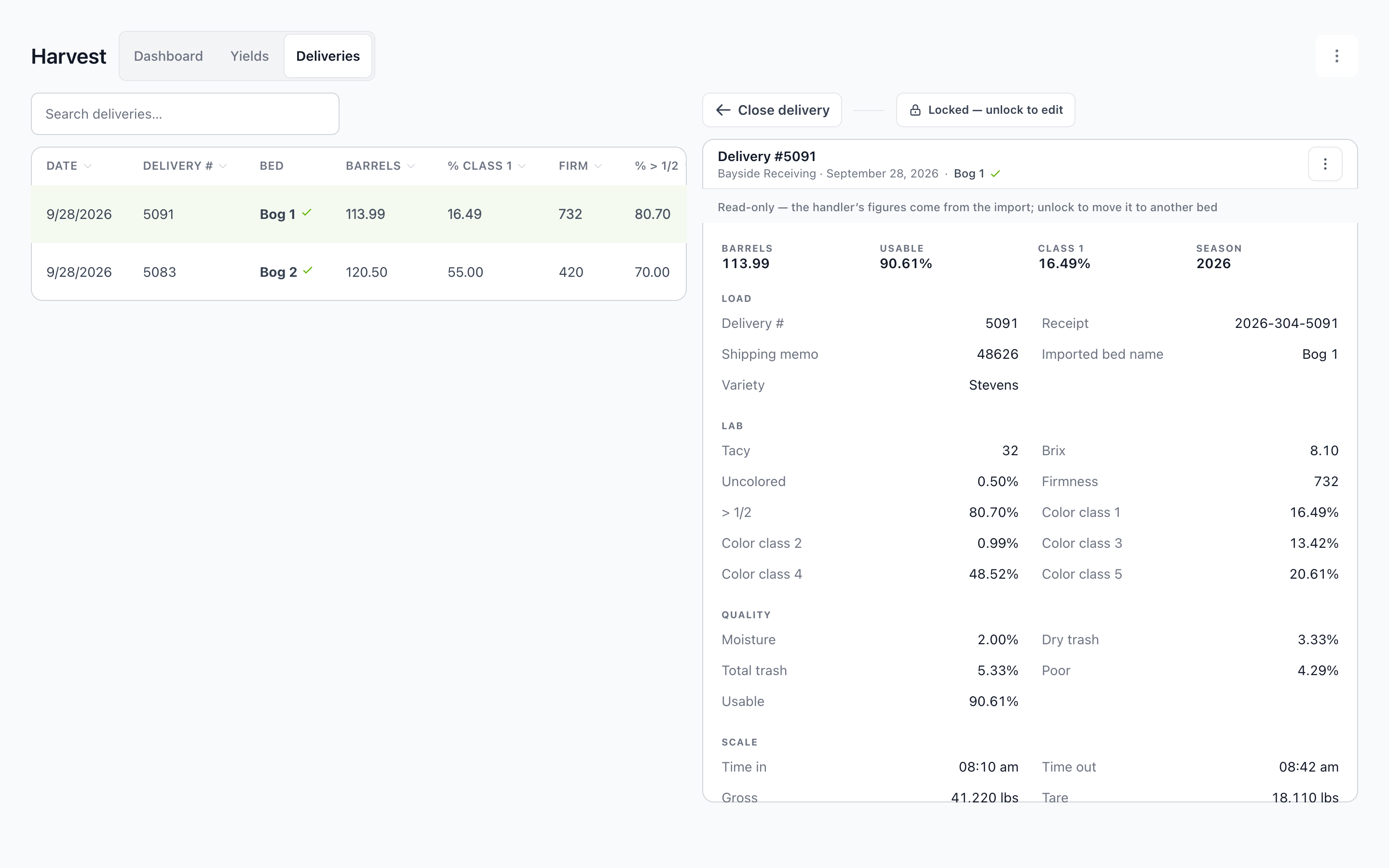
Yields and barrels per acre by block and by variety. Deliveries are imported from the handler, your own entries sit beside them, and Blossom reconciles the two into one total.
- Compare. Bed against bed and variety against variety, while the season is still fresh.
- Reconcile. Handler imports and manual entries, brought to a single total.
- Detail. Each delivery keeps its barrels, lab results, color classes and scale times.
08Calendar and reports
The paperwork is already done.
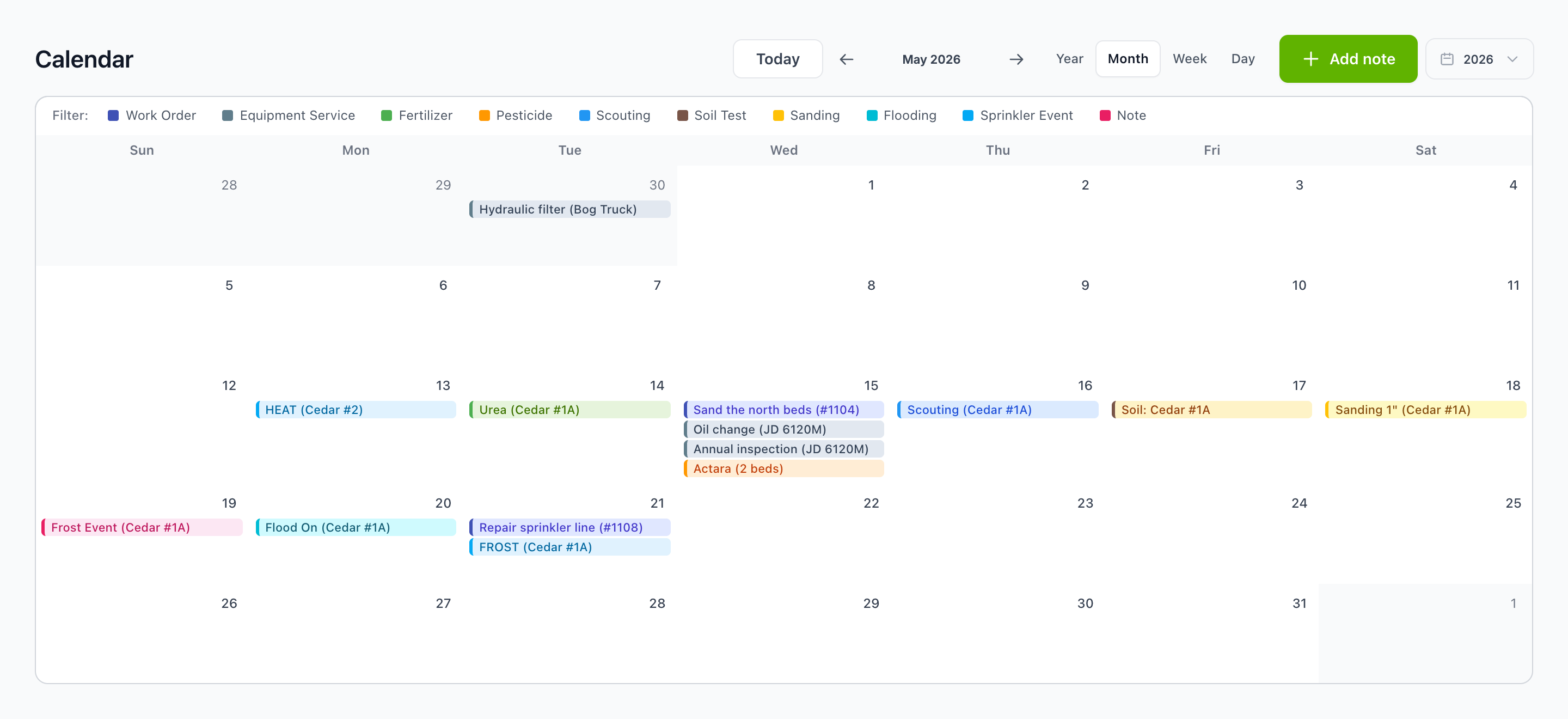
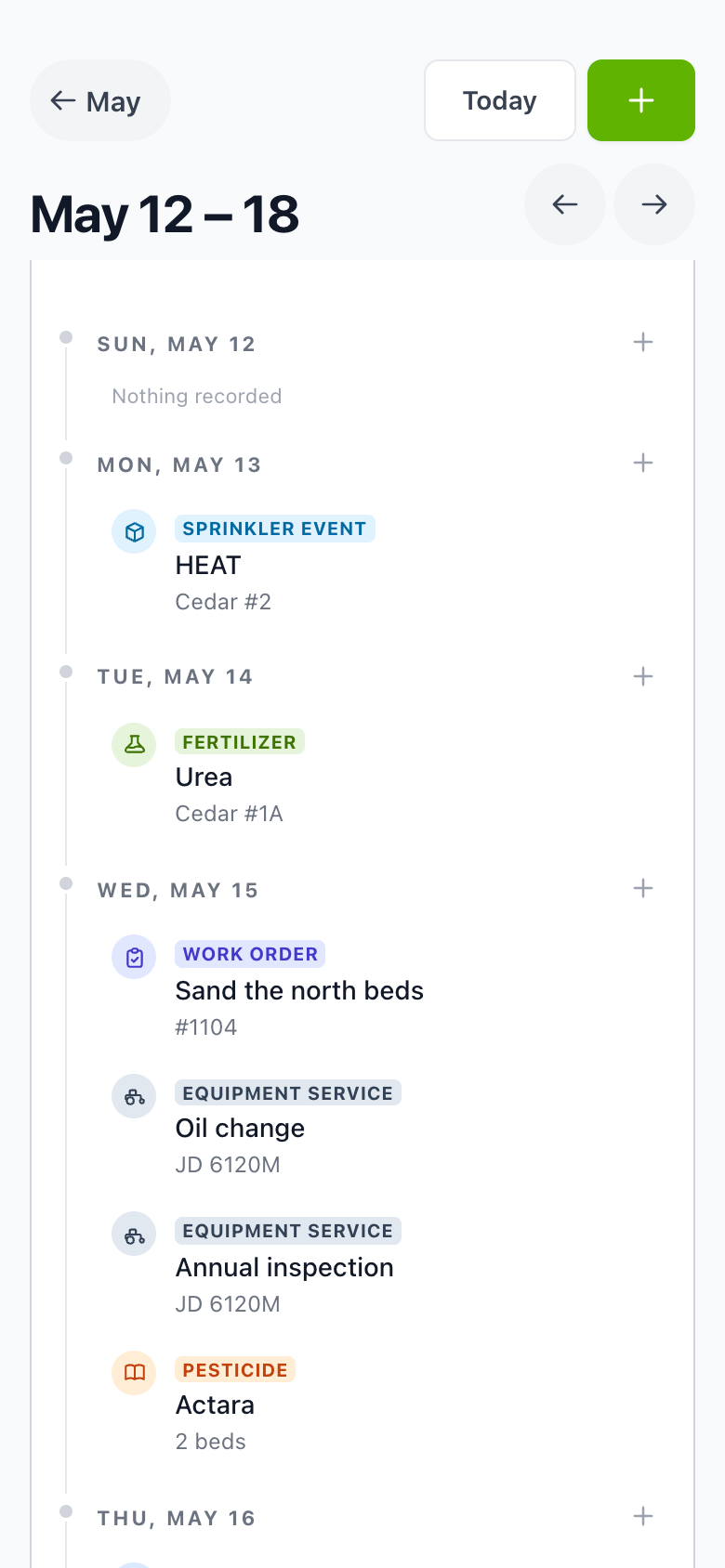
The whole operation on one calendar, by day, week, month or year. The reports the office files are built from the work the crew already logged.
- Reports. PUR transfer, Zone II monthly, NPDES annual, fleet and equipment reports.
- Export. Export CSV on every report, for your agronomist, handler or accountant.
- Compliance. A report lists beds out of pesticide compliance.
09Organizations
Run several farms? See them all in one view.
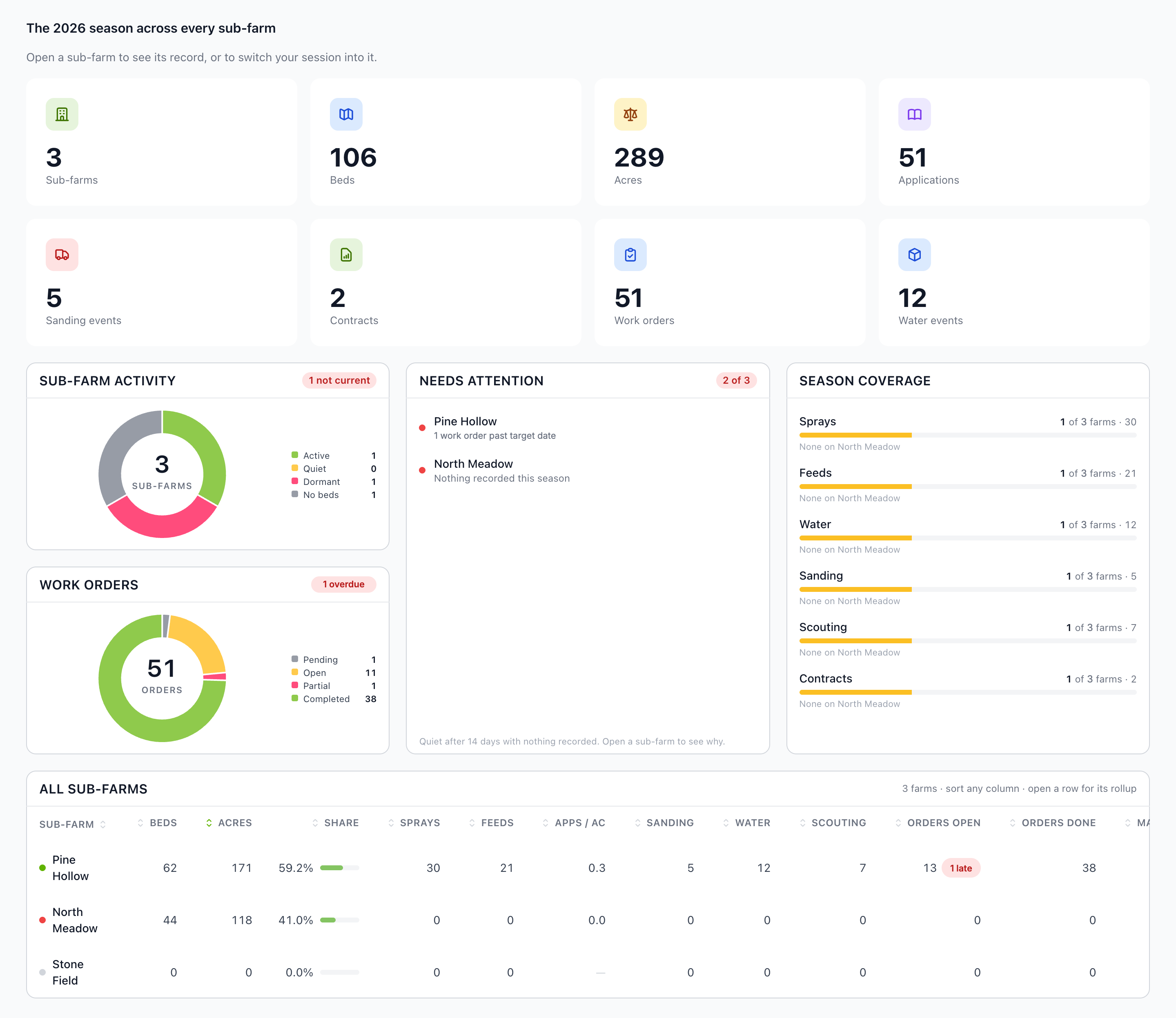
The organization view totals the season across every farm: beds, acres, applications, work orders and water events, with the farms that need attention called out.
- One level up. Switch farms from a chip, or widen the scope to all farms.
- Shared. Equipment and catalogs can belong to the organization and be used by every farm.
- Roles. Roles and permissions are set once, organization wide, for the office, the foremen, the applicators and the shop.

Blossom Pinpoint
Scouting, in our sister product. It opens from Blossom with “Scout in Pinpoint”.
Meet PinpointLive today
Blossom for cranberry
Beds, sanding, floods, deliveries and the reports cranberry growers file.
See cranberryFor everyone on the farm
Help when you need it
A Help Center that covers every part of the app, metric units, and support on every plan.
See pricingSee your own farm in Blossom.
Bring your beds, your crew and your season. We will walk you through Blossom with an operation like yours.